Skip to content

🎓 Save 30% (or more) on Linux Foundation Certs & Courses!

  • YouTube
  • Reddit
  • GitHub
  • X
Latest Videos
Books
Courses
Linux Swag
Community
About
Request Assistance
Live Training

All Content

⇨

see all

  • A Hidden Gem of a Linux Distro – Crunchbang++ 12 is Out!

    Recently, Jay had a chance to check out the latest version of Crunchbang++, a lightweight Linux distribution based on Debian. Version 12 sees the distro rebase on Debian Bookworm, giving users the latest Debian stable base with a well polished OpenBox implementation. Check out all the info in this review!

    YouTube player

    Check out Crunchbang++ here. Thanks to Akamai for sponsoring this video!

    ⇨

    Read more: A Hidden Gem of a Linux Distro – Crunchbang++ 12 is Out!
  • Linux Crash Course – Easy Terminal Commands for Inspecting Hardware

    In the 60th episode of the Linux Crash Course series, you’ll learn some easy-to-use commands you can use to inspect hardware. These commands will help you list PCI devices, view information about your CPU, and more!

    YouTube player

    Thanks to Akamai for sponsoring this episode! Check out their awesome cloud platform where you can spin up your very own Linux Servers with $60 in starter credit.

    ⇨

    Read more: Linux Crash Course – Easy Terminal Commands for Inspecting Hardware
  • 2023 Homelab Tour – TrueNAS, Proxmox, and More!

    In this video, Jay shows off some of the services that run in his homelab! This time around, we’ll take a look at TrueNAS, Proxmox, and even get a sneak peak at the provisioning solution known internally as “NodeForge”. This is more of an introductory video, additional videos will be considered for diving into even more detail!

    Thanks to Akamai for sponsoring this video! Support Learn Linux TV and set up your own cloud server with Akamai’s Connected Cloud.

    ⇨

    Read more: 2023 Homelab Tour – TrueNAS, Proxmox, and More!
  • How to Use the rsync Command to Transfer Files (Linux Crash Course Series)

    The rsync command is kind of like a “swiss army knife” of file transfer utilities. With a wealth of options available, it’s easily one of the best methods of moving files around. In this video, Jay goes over the finer points of the rsync command, with an emphasis on the most important options you should know for day-to-day usage.

    YouTube player

    Thanks to Akamai for sponsoring today’s video! Check out their connected cloud platform for your own awesome Linux server!

    (more…)

    ⇨

    Read more: How to Use the rsync Command to Transfer Files (Linux Crash Course Series)
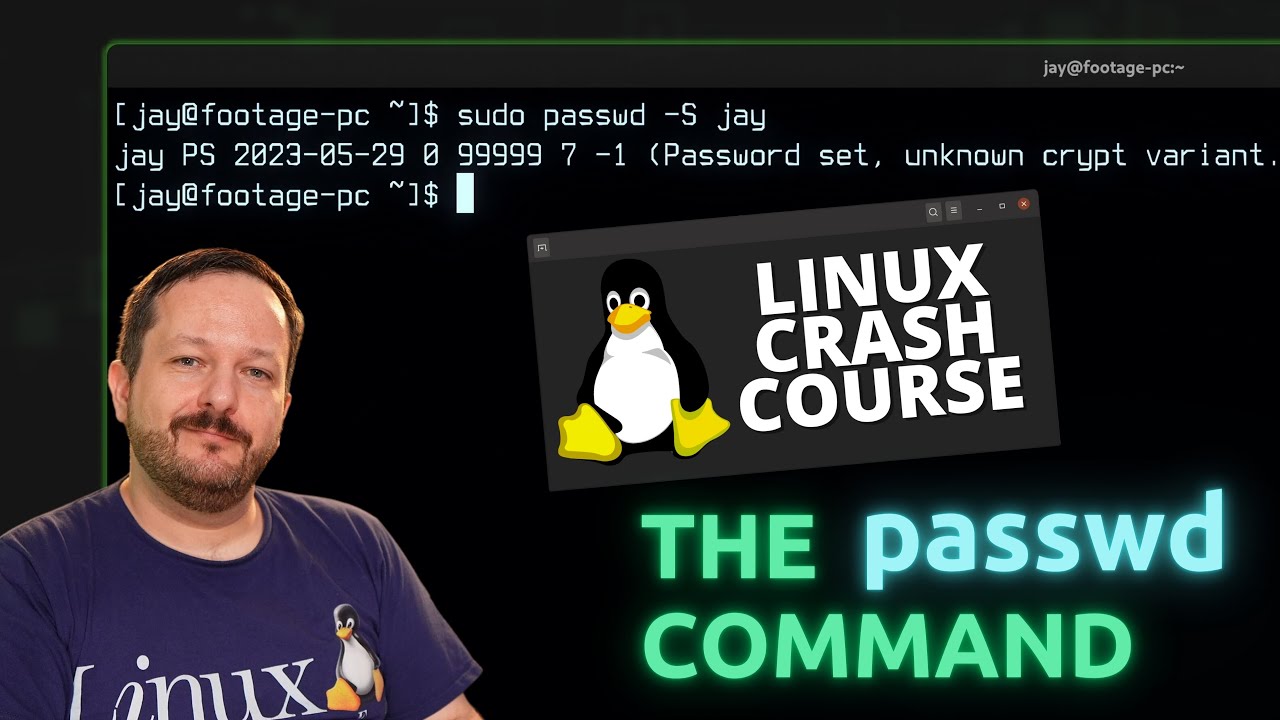
  • Linux Crash Course Series – Using the passwd Command

    The passwd command is what you use to change your password on your Linux system, but did you know you can also use it to change the password of other users, lock accounts, and view statistics? In this video, you’ll learn about the passwd command – and there may even be a new thing or two to learn even if you’re already familiar with the command.

    YouTube player

    (more…)

    ⇨

    Read more: Linux Crash Course Series – Using the passwd Command
  • CrowdSec 1.5 Gains New Features – Exploring Block Lists, Post Exploitation Behavior & More!

    CrowdSec is a service that aims to enhance the security of your Linux server – which it does in a very interesting way. Leveraging the power of the very “crowd” it serves, CrowSec is able to build intelligence that benefits every server that has it installed. This service has been discussed on the channel before, but in this tutorial you’ll see some of the new features as of CrowdSec 1.5.

    YouTube player

    ⇨

    Read more: CrowdSec 1.5 Gains New Features – Exploring Block Lists, Post Exploitation Behavior & More!
  • Debian 12 “Net Install” Installation Walkthrough

    Debian is a distribution loved by many, and one of the most popular of all time. If you’re thinking of installing it on your computer, then this installation guide will cover the “Net Install” method from beginning to end. In this video, you’ll see the process of wiping your drive and replacing your OS with Debian from start to finish!

    Note: The installation screen captures are a lower resolution than normal due to a screen recorder issue.

    YouTube player

    Thanks to Akamai for sponsoring today’s video! Check out their awesome cloud platform to get set up with your very own Linux server!

    ⇨

    Read more: Debian 12 “Net Install” Installation Walkthrough
  • Transferring files with the scp Command (Linux Crash Course Series)

    The Linux Crash Course Series – Teaching you a valuable Linux command/skill/topic one video at a time! This time around, our journey takes us to the Secure Copy (scp) command, which you can use to copy files from one Linux instance to another via SSH. You’ll learn everything you need to know in order to get started with scp so don’t miss this video!

    YouTube player

    Thanks to Akamai Connected Cloud for sponsoring today’s video! Check out their awesome cloud platform and spin up your very own Linux server!

    ⇨

    Read more: Transferring files with the scp Command (Linux Crash Course Series)
  • Demystifying the Top Command in Linux | Linux Crash Course Series

    Welcome to another episode of the “Linux Crash Course” series! In this installment, we delve into the top command in Linux. With hands-on examples, we’ll demystify the top command, explaining its various options and parameters in a beginner-friendly manner. Learn how to monitor system resources, view running processes, and gain insights into system performance in real-time. By the end of this tutorial, you’ll have a solid grasp of using the top command to optimize your Linux system. Subscribe now for more Linux Crash Course tutorials and empower yourself with Linux knowledge!

    YouTube player

    ⇨

    Read more: Demystifying the Top Command in Linux | Linux Crash Course Series
  • Ubuntu 23.04 Full Review – An Attempt was Made

    Ubuntu 23.04, codenamed the “Lunar Lobster” is here, and along with it comes Linux kernel 6.2 and GNOME 44. While it’s certainly nice to be able to check out the latest GNOME desktop, this release instead ends up being a good example of why non-LTS Ubuntu releases should generally be avoided.

    YouTube player

    ⇨

    Read more: Ubuntu 23.04 Full Review – An Attempt was Made
Previous Page
1 2 3 4 5 6 … 13
Next Page
  • YouTube

YOUTUBE

  • Twitter

twitter

  • LinkedIn

LINKEDIN

Copyright 2026 Learn Linux TV, all rights reserved.

All content on this channel adheres to the company’s content ethics guidelines.