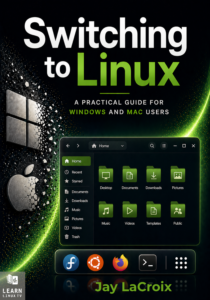
Switching to Linux is one of the best decisions you can make for your computer — but knowing where to start is another matter entirely. This book is your guide through that transition, written by Jay LaCroix, creator of the Learn Linux TV YouTube channel, with over a decade of experience helping people make Linux approachable.
Whether you’re fed up with Windows nudging you toward Microsoft Edge or Apple prompting you to sign in to yet another account, Linux offers a computing experience designed to work for you, not against you. You’ll learn everything you’ll need to know — from understanding what Linux actually is, to choosing a distribution, installing it, and using it confidently day to day.
By the end, you won’t just have Linux running on your computer. You’ll understand it!
In this episode of Linux Essentials, we take our first look at systemd – the init system in quite a few distributions of Linux nowadays. Specifically, we’ll go over the systemctl command and use it to start, stop, restart and enable units on our system.
Recently, the University of Minnesota got banned from contributing to the Linux kernel, and this opens up quite a few talking points about validating open-source code, the strengths and weaknesses of open-source, as well as how UMN got it so wrong.
Recently I reviewed Bodhi Linux 6 on a live stream, but I ran into some difficulties. I decided to do a full review after having spent more time with this distro – and I came away impressed. Check out this review for my thoughts on Bodhi 6.
Have you thought about setting up your very own Kubernetes cluster consisting of multiple Raspberry Pi’s? It’s not as hard as it sounds, and in this video, I’ll show you how to set it up. Although this video will show the process of creating a ten node cluster, you don’t have to have 10 nodes – as long as you have at least two, you’ll be all set. By the end of the video, you’ll have your very own Kubernetes cluster that will be ready to go for my upcoming Kubernetes tutorial series.