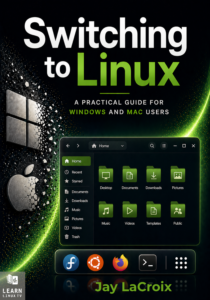
Switching to Linux is one of the best decisions you can make for your computer — but knowing where to start is another matter entirely. This book is your guide through that transition, written by Jay LaCroix, creator of the Learn Linux TV YouTube channel, with over a decade of experience helping people make Linux approachable.
Whether you’re fed up with Windows nudging you toward Microsoft Edge or Apple prompting you to sign in to yet another account, Linux offers a computing experience designed to work for you, not against you. You’ll learn everything you’ll need to know — from understanding what Linux actually is, to choosing a distribution, installing it, and using it confidently day to day.
By the end, you won’t just have Linux running on your computer. You’ll understand it!
For the entire history of LearnLinuxTV, countless distributions have been reviewed. After all this time, the best distribution of Linux has FINALLY been found! In this review, we’ll take a look at the great DJL!
The grep command – one of the most popular Linux commands, and definitely deserving of a feature video in the Linux Essentials series. In this video, Jay goes over the basics of the grep command, along with some useful examples.
Cyber security is a huge topic, and through the years the industry changes rapidly to keep up with current threats and related challenges. As a result, some of the beliefs and mindsets we’ve adopted in the industry have changed as well. In this episode, Jay and Joao discuss 5 myths in the security industry that either need to be adjusted, or downright debunked.
Do you know where your most-used files and directories are? Sure, there’s more than a few commands you can run to find out, but ncdu is a great tool for this purpose. Using ncdu, you can scan your entire hard disk (or any mounted filesystem) and determine where your storage pain points are – and take action!
Organizations aren’t the only thing that benefits from open-source, we do too! In this episode of The Homelab Show, Tom and Jay discuss some of the ways you can contribute back to the projects you benefit from. You don’t need to know how to code in order to give back, as entry-level methods are discussed as well.
Monitoring the resources of your Linux server and watching for negative trends is one way to stay ahead of potential performance issues, and the sar command will help you do exactly that. In this video, Jay goes over the basics of the sar command.
Encryption is a great benefit to take advantage of, especially when it comes to hosting web sites. But how exactly do TLS certificates work? In this episode, Jay and Joao discuss foundational concepts surrounding certificates, as well as some advice and recommended practices.
In the Linux Essentials series, we’ll go over the basics of a Linux command or feature in every episode. This time around, it’s all about the echo command. The echo command allows you to print text, but it also allows you to do other things as well, such as printing the contents of variables.
VPNs are heavily advertised, and some of them even claim to offer full protection. But do they? In this episode, Jay and Tom discuss VPN myths, best practices, and more. This will help you make an informed decision as far as whether or not a VPN is beneficial for your use-case, or perhaps not as much as you might be led to believe.
There are many terminal apps available that you can use while working with the command-line, but which one should you consider using? In this video, Jay shows you his top 5 favorite terminal emulators.
Bash is the default shell in the majority of Linux distributions, and it has countless features and tricks to make you more efficient. Bash keeps a history of the commands you’ve typed at the prompt, but most people aren’t aware of additional functionality that the history provides you. In this episode of Linux Essentials, Jay describes not only how to use the history command, but also some techniques to make better use of it.