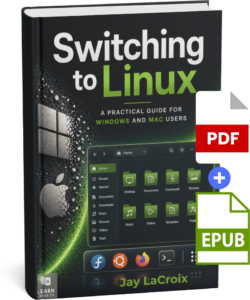
Switching to Linux is one of the best decisions you can make for your computer — but knowing where to start is another matter entirely. This book is your guide through that transition, written by Jay LaCroix, creator of the Learn Linux TV YouTube channel, with over a decade of experience helping people make Linux approachable.
Whether you’re fed up with Windows nudging you toward Microsoft Edge or Apple prompting you to sign in to yet another account, Linux offers a computing experience designed to work for you, not against you. You’ll learn everything you’ll need to know — from understanding what Linux actually is, to choosing a distribution, installing it, and using it confidently day to day.
By the end, you won’t just have Linux running on your computer. You’ll understand it!
Following up on my low-energy FreeNAS build, here’s another server build – this time for virtualization. In this video, you’ll see the process of building a low-energy Proxmox server, and just like the last build – this one uses only around 55 watts!
Saving power in your homelab can be a very important factor in your build. In this video, you’ll see the process of building a lower energy storage server, that uses only around 55 watts! FreeNAS is shown as an example, but other NAS platforms can be used as well.
This video is the first of several low-energy server ideas I’ll be showing off. This time around, we explore the setup of a storage server, but on a Raspberry Pi. This will greatly decrease power-usage. OpenMediaVault will be installed on the Raspberry Pi, and you’ll see the entire process in this video.