
It’s hard to believe, but Fedora has just published the project’s 40th release, which comes with GNOME 46 and Linux kernel 6.8. In this video, Jay gives you his thoughts on the latest version of the popular Linux desktop.
It’s hard to believe, but Fedora has just published the project’s 40th release, which comes with GNOME 46 and Linux kernel 6.8. In this video, Jay gives you his thoughts on the latest version of the popular Linux desktop.
When you’re starting a brand new position as a System Administrator, what should you focus on? In this video, Jay gives you his thoughts on the first five things every new SysAdmin should take a look at.

Semaphore is very easy to set up and use, and can be a great asset to those of you that are currently using Ansible. And even if you’re not an Ansible user, you might become one if you spend time with Semaphore. Ansible is the leading configuration management solution, and Semaphore makes Ansible easier than it already was.
Also, Semaphore is free, so you can set it up right now if you want to, with no sales reps or company’s to deal with. It’s an open source application written in Go, so you can skip all the red tape and get it deployed.
So in this video, what I’ll do is show you the process of installing Semaphore, and then I’ll show you around the UI. After that, I’ll give you an example playbook you can run.
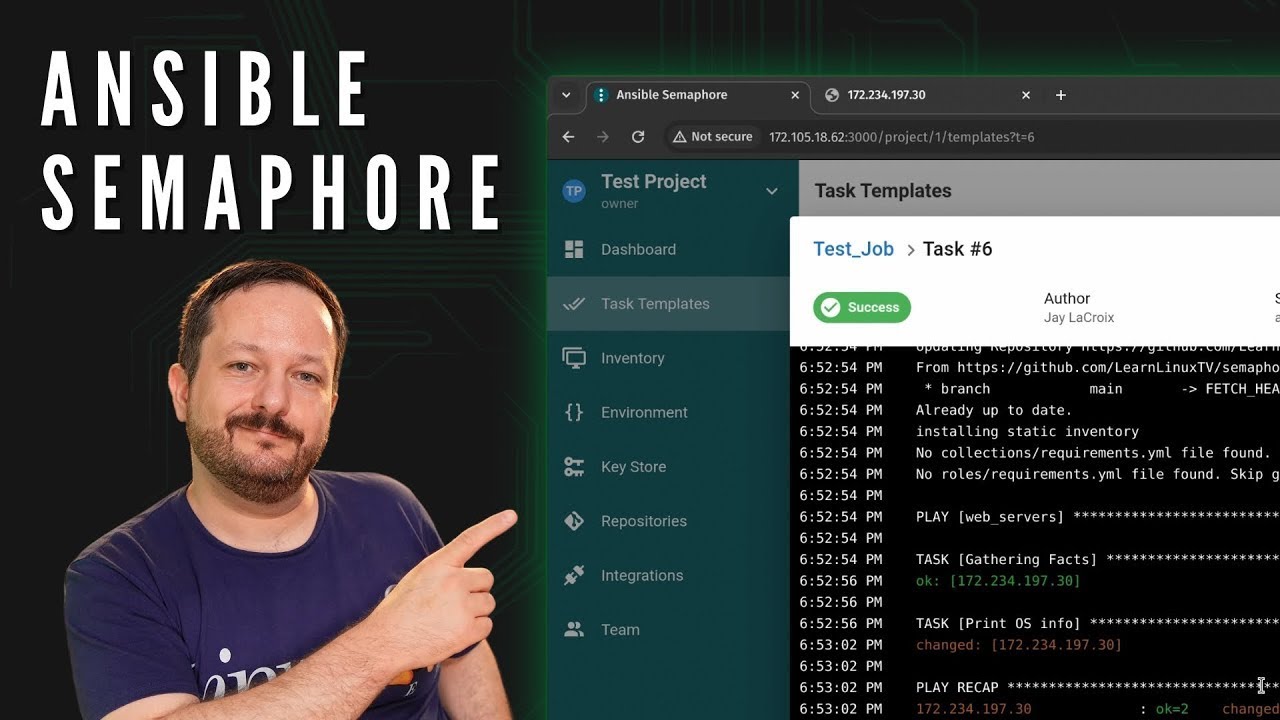
If you want to follow along with me, then I recommend two VMs. The first will be used for Semaphore itself, and will act as our Semaphore server. The second VM will be used as an example server we want to configure with Semaphore.
Now, let’s get started and dive in to Semaphore!
(more…)In this video, we’ll take a look at the latest and greatest desktop from the KDE community. Plasma 6 is finally here! With a focus on user experience, customization, and performance enhancements, KDE Plasma 6 is set to redefine what we expect from a Linux desktop environment. In this video, Jay will give you his thoughts.

If you’re new to learning Linux, there’s a few pitfalls that you may run into. In this video, Jay goes over five common pitfalls new Linux users often encounter, and will also give you some expert tips to help you along your journey.
Linux Mint Debian Edition (LMDE) is a very interesting distribution to say the least. It looks and acts nearly exactly the same as the standard version of Linux Mint, but LMDE is built on top of Debian instead of Ubuntu. In this video, Jay compares LMDE to the flagship edition of Linux Mint and also gives it an updated review.
Ever wanted to enjoy the best of both worlds by dual booting Windows 11 and Linux Mint on your computer? Whether you’re a developer, a gamer, or just someone who loves experimenting with different operating systems, this tutorial is for you!
In this video, we dive into how to set up a dual-boot system with Windows 11 and Linux Mint.

Check out their awesome Linux remote desktop solution free for up to 10 concurrent users.
MX Linux is a Linux distribution with a lot of bells and whistles – literally! This Linux distro is packed full of customization features, all backed by a stable Debian 12 base. In this video, Jay checks out the latest release.
Encountering issues on Linux? You’re not alone. Linux, with all its power and flexibility, can sometimes throw challenges your way. If you’re just starting out, this video covers ten common issues new Linux users often face, and how to solve them.

Check out their awesome Linux remote desktop solution free for up to 10 concurrent users.
Linux Mint 21.3 is here! The latest version of the flagship Cinnamon edition is built on top of an Ubuntu base, with Mint-specific tweaks and improvements that creates an experience of its own. In this video, Jay will give you his thoughts on Linux Mint 21.3.

The Raspberry Pi is a beloved tiny computer that has revolutionized DIY computing, education, and hobbyist projects around the globe. If you’re curious what the Raspberry Pi Foundation has in store with their new release, you’re in the right place! In this video, we dive deep into the Raspberry Pi 5, exploring all its new features, upgrades, and capabilities that set it apart from its predecessors.

Check out their awesome Linux remote desktop solution free for up to 10 concurrent users.
Check out the official Learn Linux TV amazon store, which features products reviewed on the channel – including the Raspberry Pi 5!
Note: Learn Linux TV earns commission from these links.
Houston Command Center by 45Drives is a Linux management console that enables you to perform routine tasks on your server through your favorite web browser. In this video, Jay will provide a full getting started guide for beginners that will include an interface overview, installation instructions, and more!