Skip to content

🎓 Save 30% (or more) on Linux Foundation Certs & Courses!

  • YouTube
  • Reddit
  • GitHub
  • X
Latest Videos
Books
Courses
Linux Swag
Community
About
Request Assistance
Live Training

All Content

⇨

see all

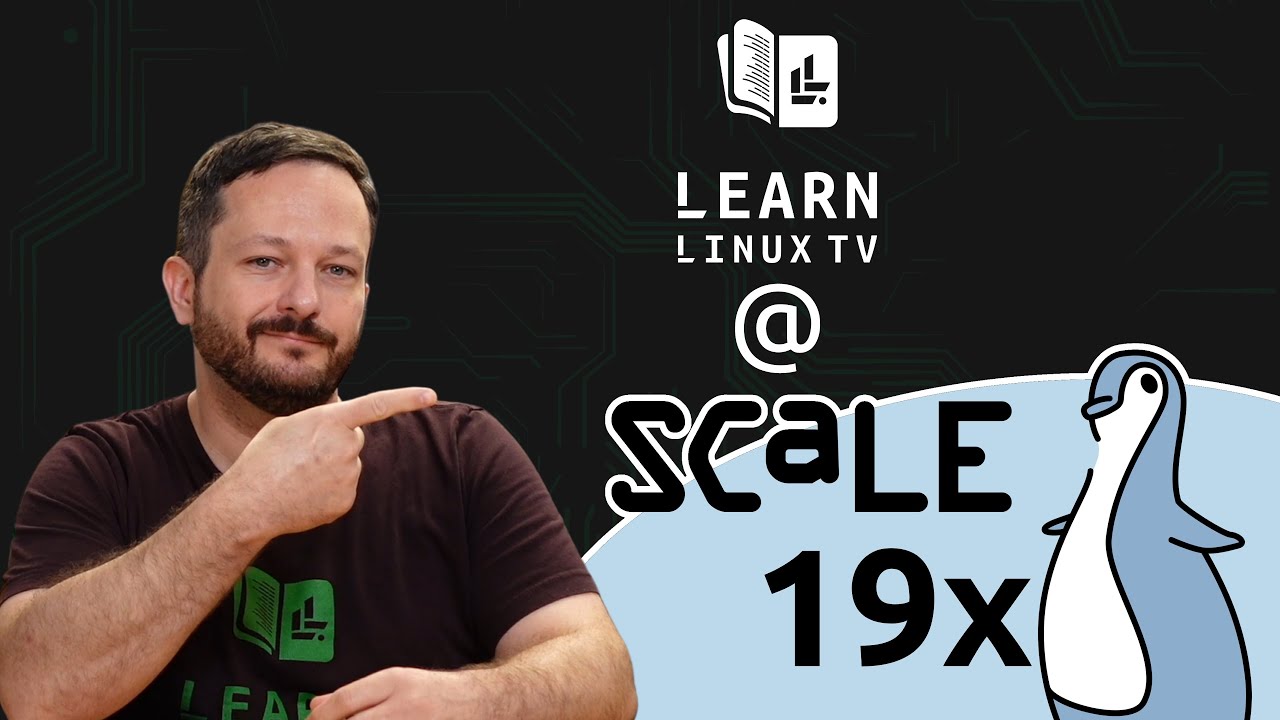
  • My experience at the Southern California Linux Expo (SCaLE 19x)

    SCaLE 19x was a ton of fun, and I was able to attend this years conference alongside Linode. In this video, I talk about my overall experience, in preparation for further videos that will be released that will show off some of the shenanigans that happened while I was there this year.

    YouTube player

    ⇨

    Read more: My experience at the Southern California Linux Expo (SCaLE 19x)
  • I decided to take Ubuntu MATE 22.04 LTS for a Spin

    Ubuntu MATE is a distribution of Linux that shares its foundation with Ubuntu itself, but defaults to the MATE desktop environment instead of GNOME. I decided to check out the latest release (22.04 LTS) on my Thinkpad X1 Carbon, but unfortunately things didn’t quite go according to plan…

    YouTube player

    ⇨

    Read more: I decided to take Ubuntu MATE 22.04 LTS for a Spin
  • Using nmap to scan networks (Awesome Linux Tools)

    nmap is a network mapping utility that you can use to gather information regarding the nodes on your network. With nmap, you can perform port scanning, OS fingerprinting, and more! In this tutorial, you’ll learn the basics of using nmap.

    YouTube player
    (more…)

    ⇨

    Read more: Using nmap to scan networks (Awesome Linux Tools)
  • Proxmox VE – How to build an Ubuntu 22.04 Template (Updated Method)

    Proxmox Virtual Environment is a powerful and easy to use virtualization platform with many features. Virtual machine templates help to minimize the amount of time spent building new instances, and in this video we’ll take a look at how you can utilize Ubuntu’s cloud images to automate the process of deploying new Linux instances.

    YouTube player
    (more…)

    ⇨

    Read more: Proxmox VE – How to build an Ubuntu 22.04 Template (Updated Method)
  • Is Ubuntu a bad Linux Distro?

    Ubuntu – the distribution that many members of the Linux community love to hate. But why? Is the hate warranted, or are people overreacting? In this video, I’ll give you my thoughts on some or the criticisms that Ubuntu faces nowadays.

    YouTube player

    ⇨

    Read more: Is Ubuntu a bad Linux Distro?
  • CrowdSec Console First Look – A Free and Awesome Security Dashboard for Linux Servers

    CrowdSec is an Intrusion Prevention System that does things a bit differently than other IPS solutions. It’s collaborative, and open-source. CrowdSec has been featured on LearnLinuxTV a few times in the past, but in this video we’ll explore the CrowdSec Console, which allows you to monitor the security events of your Linux servers from an impressive web dashboard. In this video, we’ll get an overview and see it in action!

    YouTube player

    Note: This is not a review, but an overview of a security solution that Learn Linux TV is actually using in real-life.

    ⇨

    Read more: CrowdSec Console First Look – A Free and Awesome Security Dashboard for Linux Servers
  • Linux Crash Course – The head and tail Commands

    In the Linux Crash Course series, we’ll go over one important foundational Linux topic each episode. This series includes tutorials, demonstrations, and more! In this episode, the head and tail commands are both covered. These commands enable you to view the first and last ten lines of a file. But there’s also some additional functionality that we’ll explore in this video as well.

    YouTube player

    Thanks to Linode for sponsoring the Linux Crash Course series! Check out their Linux-focused cloud platform and spin up your own Linux server.

    ⇨

    Read more: Linux Crash Course – The head and tail Commands
  • Mycroft AI and LearnLinuxTV join forces to announce Mimic 3

    Mycroft AI, the makers of the “world’s first open-source voice assistant”, are today making the latest version of their text to speech engine, Mimic 3, available to everyone. Mimic itself is a text to speech engine that’s on our side, and best of all, it’s open-source! The latest version, Mimic 3, is being released today and is now able to synthesize speech without the cloud!

    LearnLinuxTV, a training company that focuses on Linux, has prepared a new video to coincide with Mycroft’s AI release of Mimic 3, that will cover its features and show it in action. Mimic 3 gives us back control, and also powers the upcoming reference device, the Mycroft Mark II. In this video, you might even see a prototype of the Mark II as well!

    This project was chosen for being highlighted in a video due to how critical this project is. By using IOT products such as a voice assistant, we lose control of our privacy at the same time. With Mimic 3, you can benefit from having a voice assistant without helping fund big tech. Best of all, you can install Mimic 3 on a Raspberry Pi, Linux workstation or notebook, launch it via a Docker container, or include it as part of a larger project.

    You should definitely check out Mimic 3! It’s an awesome project to contribute to, and an example of exactly what we need to take back control when it comes to Internet of Things, or any other technology or development that can benefit from a privacy-focused text to speech engine.

    YouTube player

    ⇨

    Read more: Mycroft AI and LearnLinuxTV join forces to announce Mimic 3
  • HP Dev One Full Review (Part 2) – Upgrading RAM, Running Other Distros & More!

    HP has released a Linux notebook! No, we aren’t in an alternate dimension, the Dev One notebook from HP is here, and it’s powered by Pop!_OS! LearnLinuxTV’s coverage of the HP Dev One continues in this follow-up video to the original, where we’ll explore this Linux-powered computer even further. This time around, we’ll take a look at upgrading RAM, running other distributions, virtualization, and more!

    YouTube player

    Here’s a link to the RAM and screwdriver set I used (commission earned):

    • HP Dev One parts/accessories

    ⇨

    Read more: HP Dev One Full Review (Part 2) – Upgrading RAM, Running Other Distros & More!
  • Linux Crash Course – The df and du Commands

    In the Linux Crash Course series, we’ll go over one important foundational Linux topic each episode. This series includes tutorials, demonstrations, and more! In this episode, we’ll take a look at how we can determine how much storage we have remaining, and we’ll also tackle how to determine which directories are using up the most space.

    YouTube player

    ⇨

    Read more: Linux Crash Course – The df and du Commands
Previous Page
1 … 32 33 34 35 36 … 49
Next Page
  • YouTube

YOUTUBE

  • Twitter

twitter

  • LinkedIn

LINKEDIN

Copyright 2026 Learn Linux TV, all rights reserved.

All content on this channel adheres to the company’s content ethics guidelines.