-
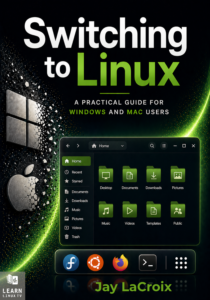
My Latest Book is Available Now!
Switching to Linux is one of the best decisions you can make for your computer — but knowing where to start is another matter entirely. This book is your guide through that transition, written by Jay LaCroix, creator of the Learn Linux TV YouTube channel, with over a decade of experience helping people make Linux approachable.
Whether you’re fed up with Windows nudging you toward Microsoft Edge or Apple prompting you to sign in to yet another account, Linux offers a computing experience designed to work for you, not against you. You’ll learn everything you’ll need to know — from understanding what Linux actually is, to choosing a distribution, installing it, and using it confidently day to day.
By the end, you won’t just have Linux running on your computer. You’ll understand it!
-
Linux Commands for Beginners 23 – Transferring Files with scp
In my Linux Commands for Beginners series, we’ll explore everything you need to know in order to be productive on the Linux Command Line. You’ll learn basic commands, input/output redirection, package management, resource monitoring, troubleshooting, and more. In video 23, we explore transferring files from one system to another via scp.
-
Linux Commands for Beginners 22 – Remote Management with OpenSSH
The Linux Commands for Beginners series shows you all the commands you’ll need to know to boost your CLI skillset. In this particular video, I show off the benefits of remote management with OpenSSH, a very popular method of remote connection for issuing commands from a remote terninal.

-
Linux Commands for Beginners 21 – Changing Permissions Numerically
In my Linux Commands for Beginners series, we’ll explore everything you need to know in order to be productive on the Linux Command Line. You’ll learn basic commands, input/output redirection, package management, resource monitoring, troubleshooting, and more. This time, we’ll take another look at permissions and explore the numerical representation of permission on our Linux system.
-
Linux commands for Beginners 20 – Package Management on Fedora and CentOS (dnf and yum)
In my Linux Commands for Beginners series, we’ll explore everything you need to know in order to be productive on the Linux Command Line. You’ll learn basic commands, input/output redirection, package management, resource monitoring, troubleshooting, and more. In this video, we’ll take another look at package management, this time with the dnf command (Fedora) and the yum command (CentOS).

-
Linux Commands for Beginners 19 – The find Command
In my Linux Commands for Beginners series, we’ll explore everything you need to know in order to be productive on the Linux Command Line. You’ll learn basic commands, input/output redirection, package management, resource monitoring, troubleshooting, and more. In this video, we’ll see how the find command can be used to quickly search through our filesystem.
-
Linux Commands for Beginners 18 – Variables
In my Linux Commands for Beginners series, we’ll explore everything you need to know in order to be productive on the Linux Command Line. You’ll learn basic commands, input/output redirection, package management, resource monitoring, troubleshooting, and more. This time, we’ll take a much overdo look at variables.

-
Linux Commands for Beginners 17 – Streams
In my Linux Commands for Beginners series, we’ll explore everything you need to know in order to be productive on the Linux Command Line. You’ll learn basic commands, input/output redirection, package management, resource monitoring, troubleshooting, and more. This time, we’ll checkout output streams.

-
Linux Commands for Beginners 16 – Output Redirection
In my Linux Commands for Beginners series, we’ll explore everything you need to know in order to be productive on the Linux Command Line. You’ll learn basic commands, input/output redirection, package management, resource monitoring, troubleshooting, and more. This time, we’ll check out how to redirect output (stdout).

-
Linux Commands for Beginners 15 – Bash History
everything you need to know in order to be productive on the Linux Command Line. You’ll learn basic commands, input/output redirection, package management, resource monitoring, troubleshooting, and more. In this video, we’ll learn how to view and utilize command history in bash.

-
Linux Commands for Beginners 14 – Managing Users
In my Linux Commands for Beginners series, we’ll explore everything you need to know in order to be productive on the Linux Command Line. You’ll learn basic commands, input/output redirection, package management, resource monitoring, troubleshooting, and more. In this video, we’ll learn how to manage users.